
Editor and projects
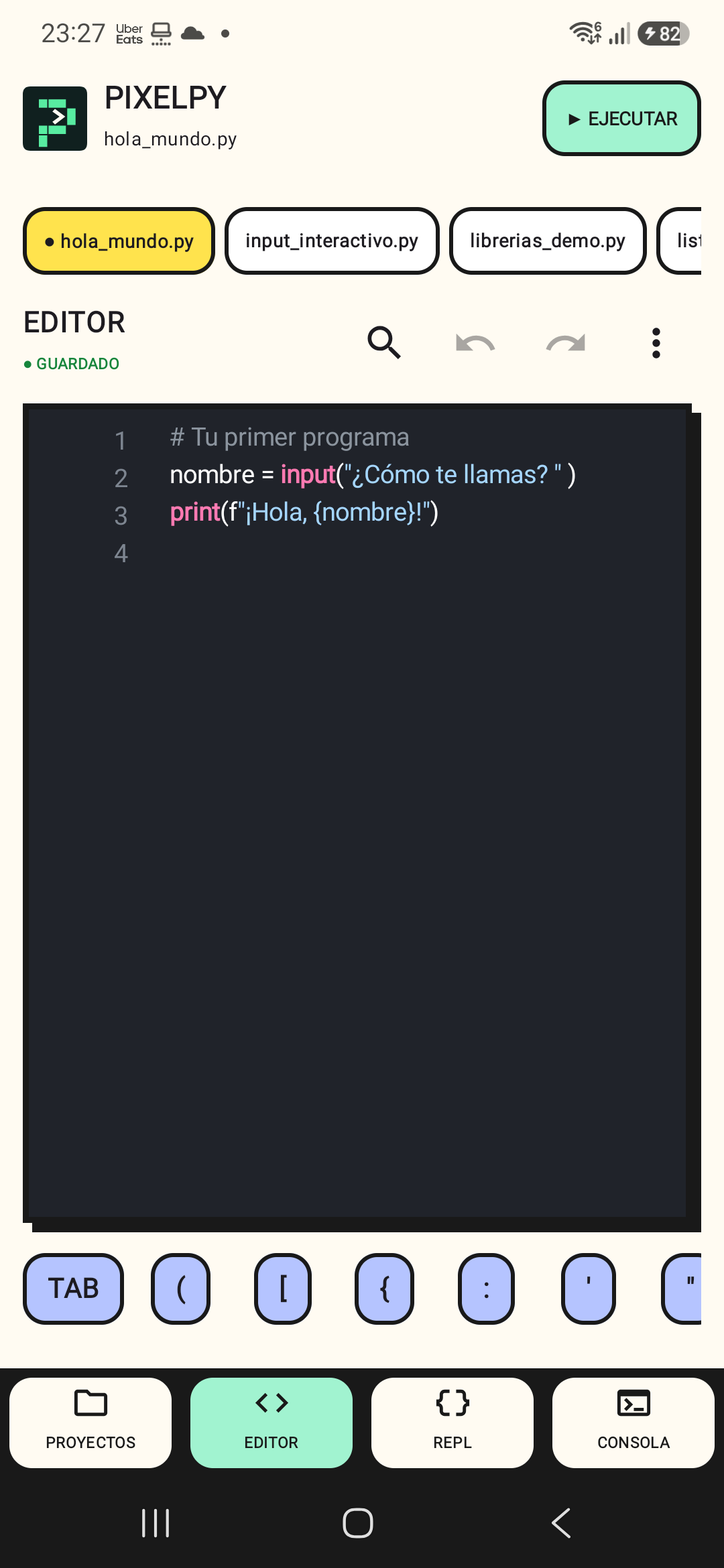
Multi-file editor, resources, autocomplete, search, and autosave with context recovery.
Case study / Pixel Studio / Version 1.8.0
Your Python lab, in your pocket. Write scripts, explore data, and automate tasks on Android with the new Pixel Studio identity.
01 / Overview
Multi-file editor, resources, autocomplete, search, and autosave with context recovery.
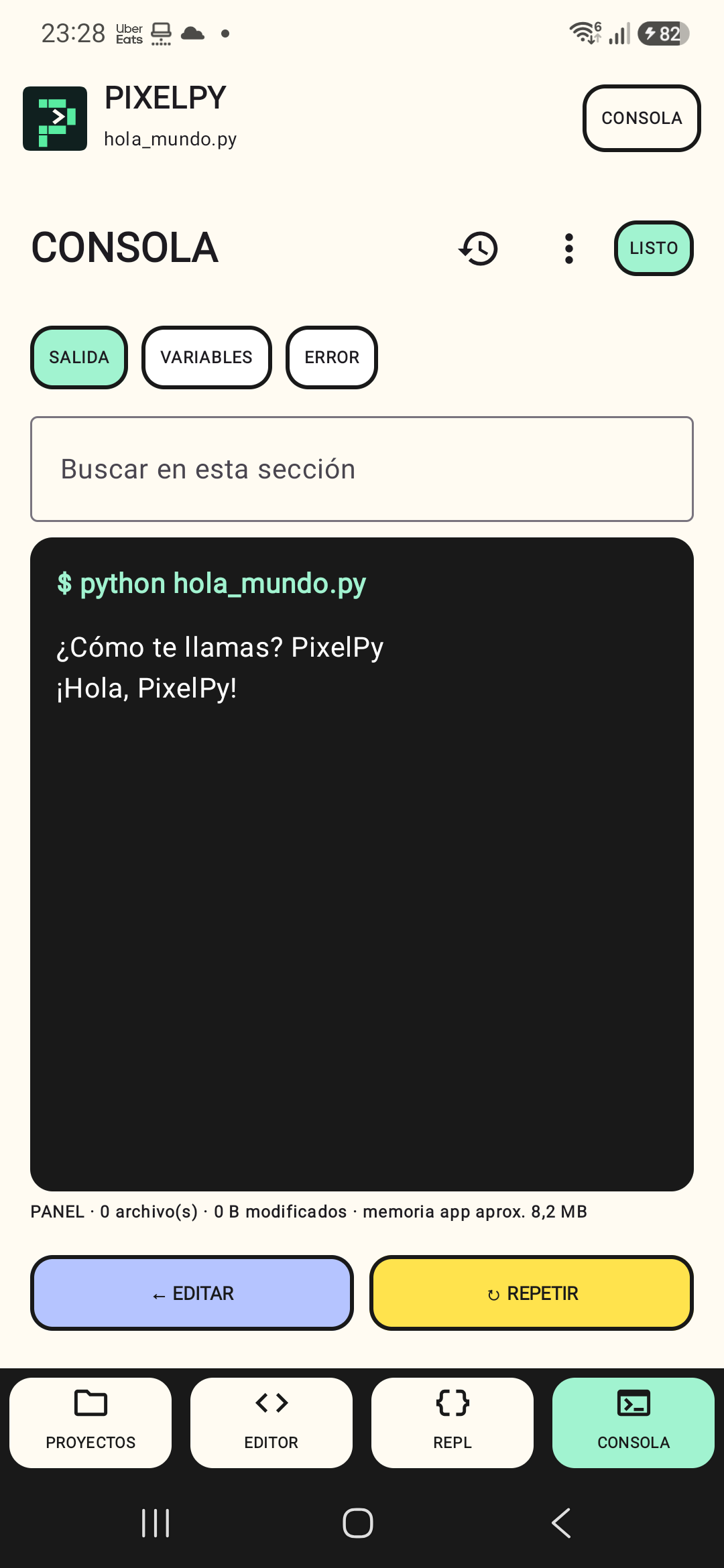
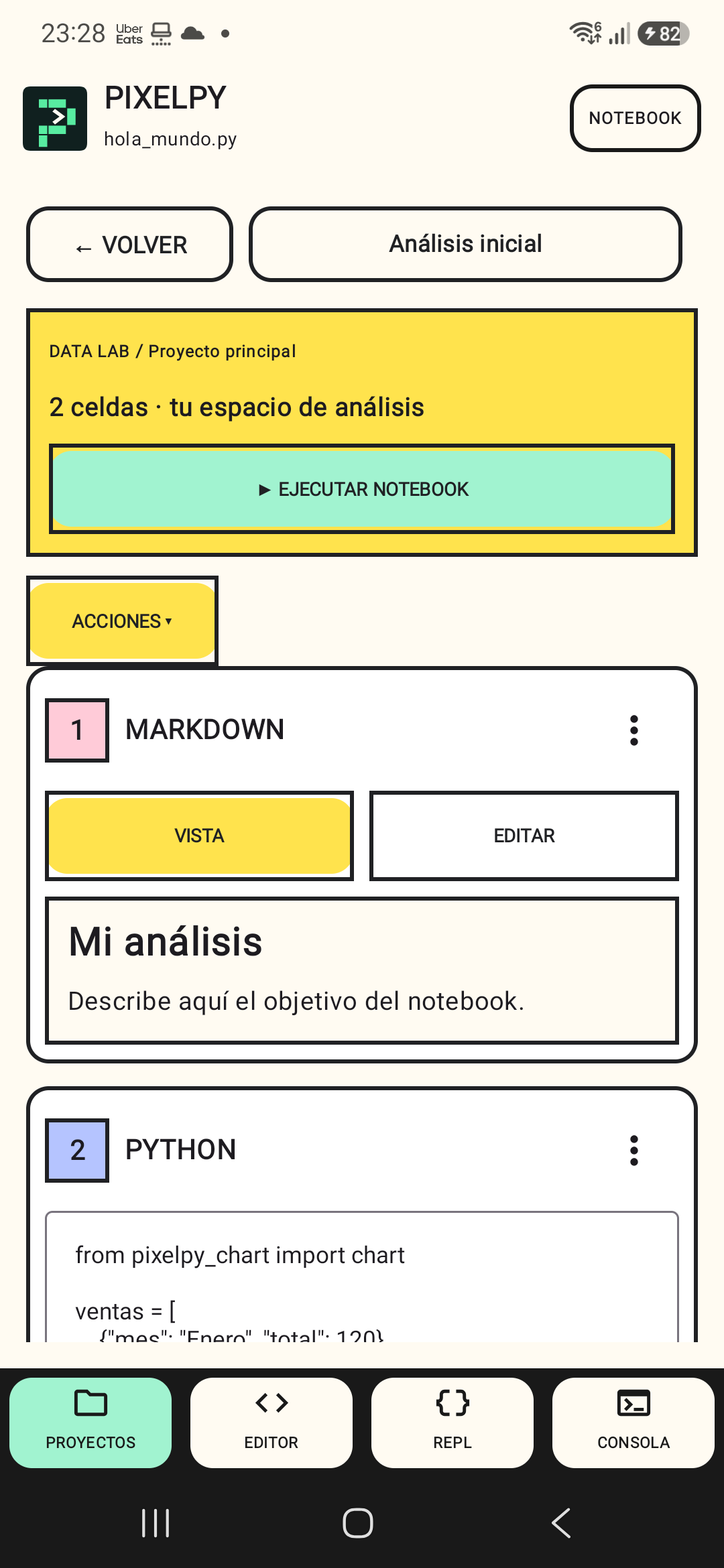
Console, persistent REPL, notebooks, and result viewers for text, JSON, CSV, images, and other files.
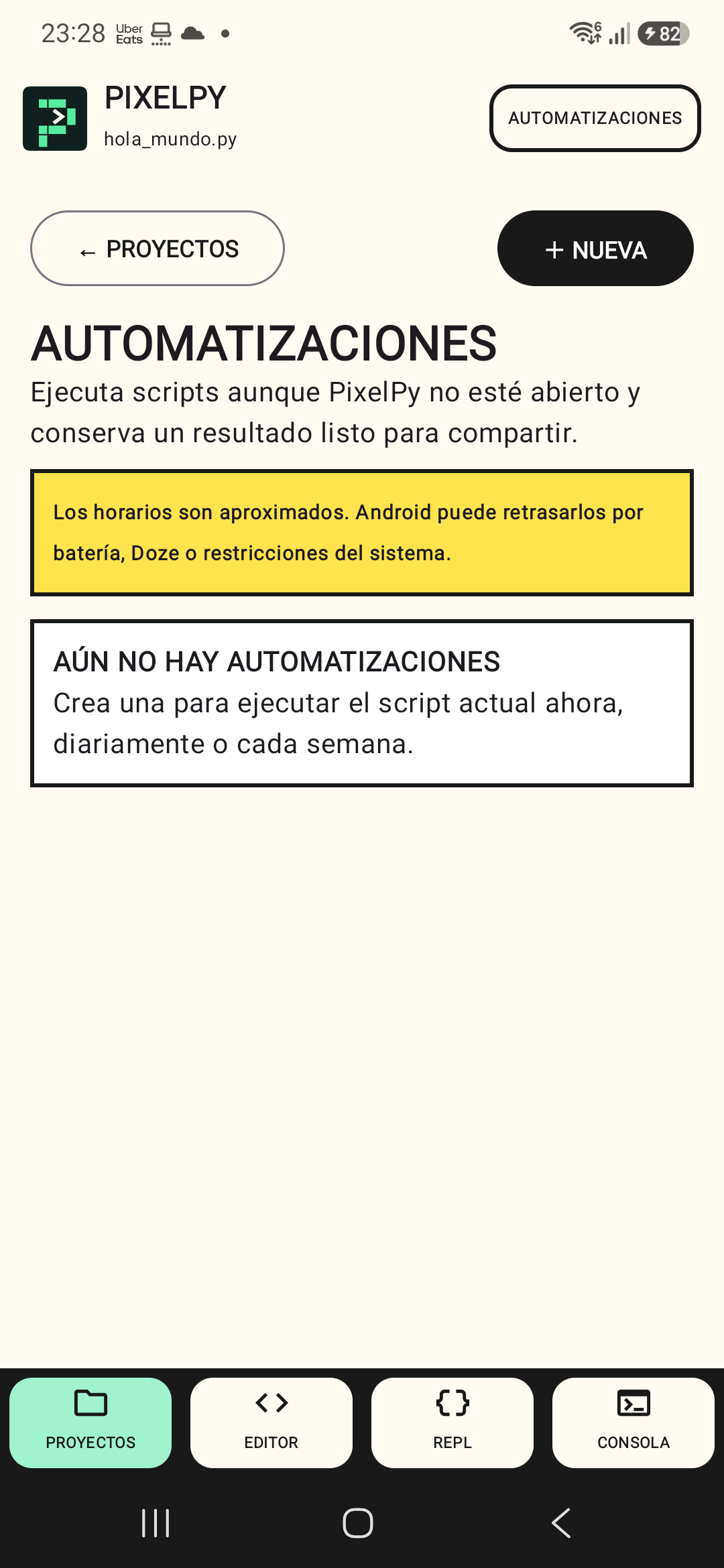
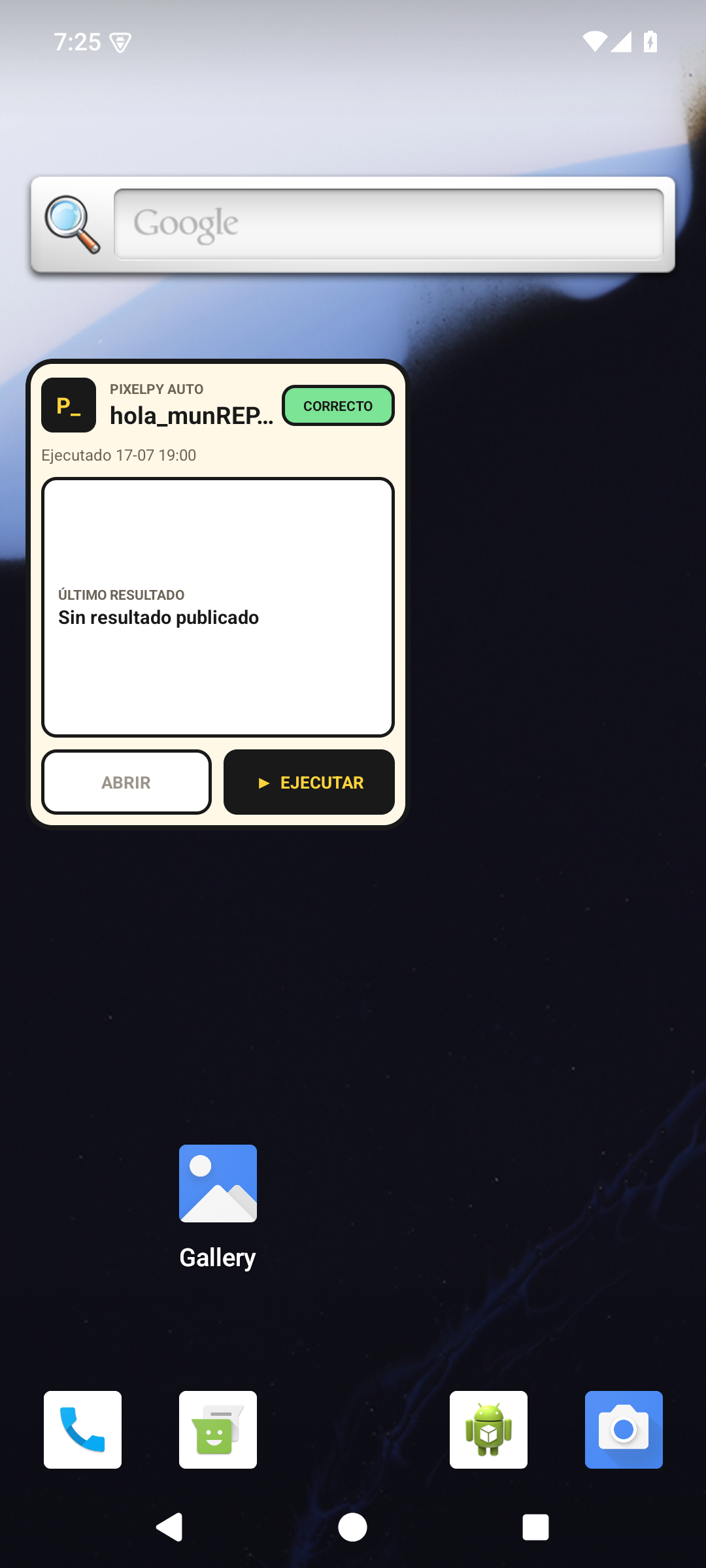
Scheduled runs, parameters, a widget, and full project backups with validated restoration.
02 / The problem
03 / The approach
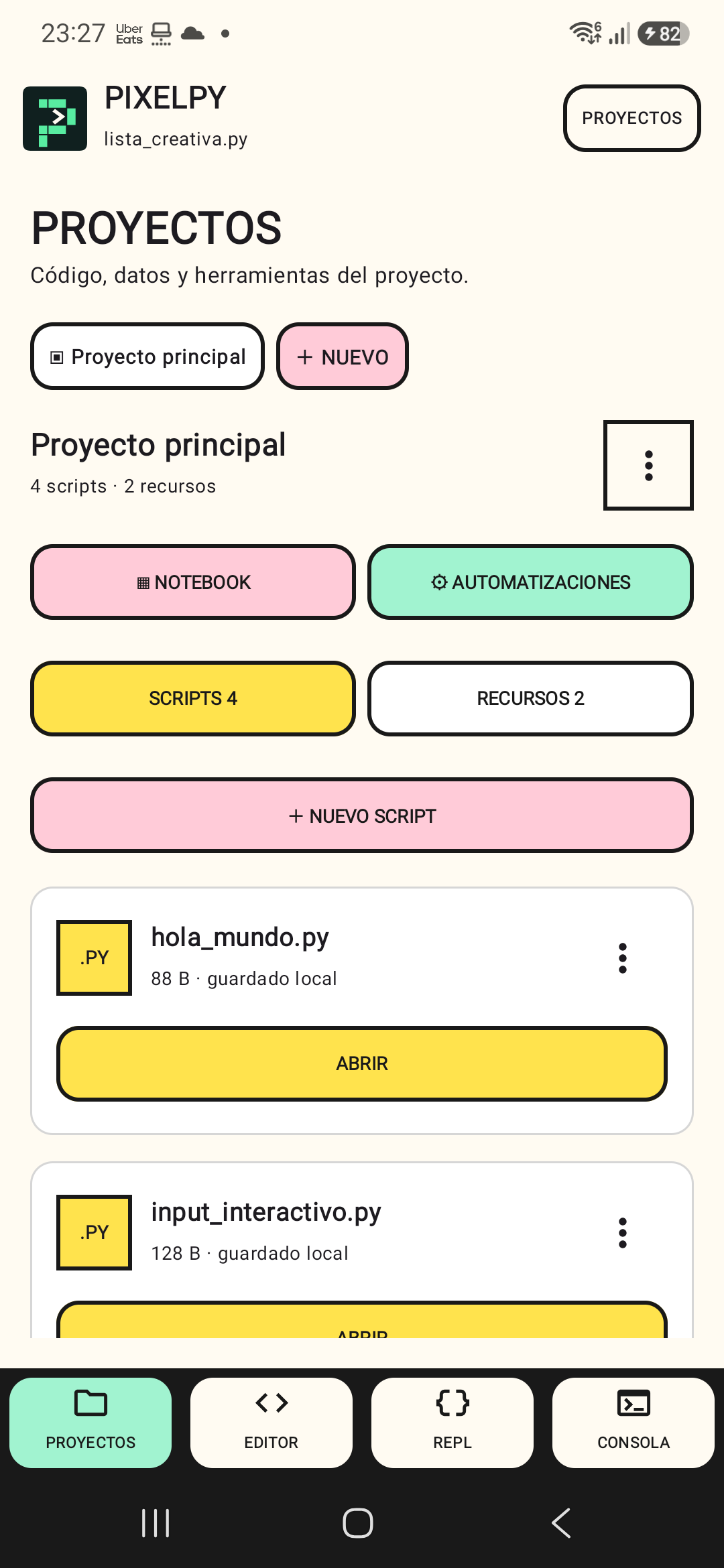
A project-based environment brings files, resources, a console, notebooks, and automations together on device.
04 / Product in use
Pixel Studio / Release 1.8.0
Pixel Spark brings a new identity to projects, the editor, console, notebooks, automations, and results. The release improves Back navigation, script input cancellation, and per-file undo. SVG charts gain zoom, pan, and PNG capture; CSV detects commas, semicolons, and tabs.
Read release notes ↗
05 / Product decisions
A project holds scripts, resources, results, and history. The compact interface keeps one primary action visible and groups secondary tools to make the most of the screen.
06 / Stack & privacy
Data is stored locally. Scripts can access the Internet; Android may delay scheduled runs due to battery or system restrictions.
07 / Explore